How to limit your trading hours on MT4/MT5
In brief
To avoid taking another trade after your session, choose your trading days and hours in advance. SentinelleTrader Pro monitors your MT4/MT5 account and automatically closes new positions opened outside the allowed window.
Finish on time, even while the market is open
You planned to finish your session, but another opportunity draws you back? A schedule defines when you are willing to trade. It complements your loss limits and maximum stop-loss count.
Your personal schedule is separate from market opening hours. SentinelleTrader Pro lets you choose trading days and a time window separately for each of your two protected accounts.
Set your days, hours and time zone
- Select the account to protect, then enable trading days and hours in its risk settings.
- Choose allowed days, start and end times. Check the displayed time zone, for example Europe/Paris.
- Save, then check the active settings and next reset. A settings change is scheduled for the next session.
See the SentinelleTrader interface
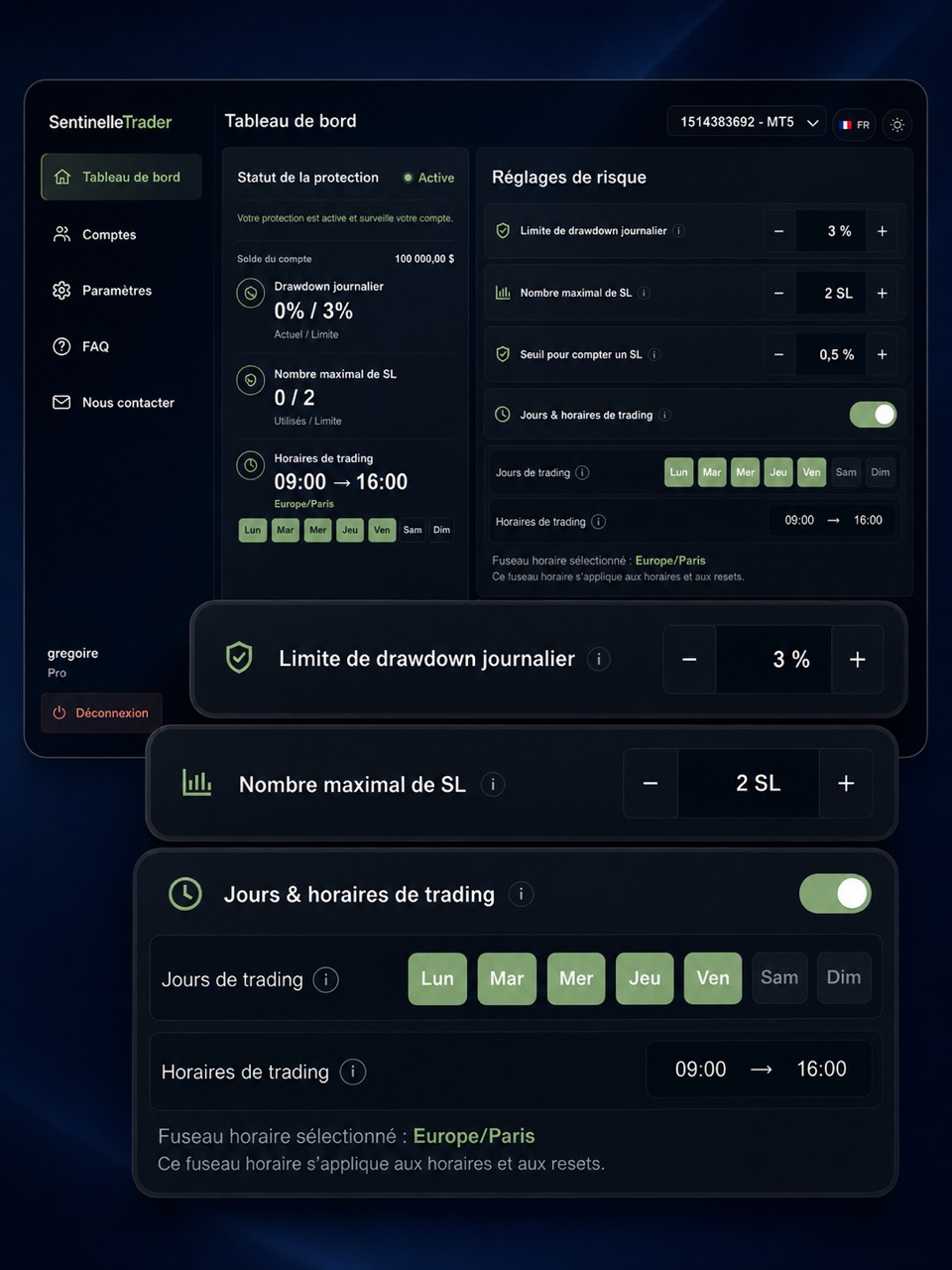
Example: a session from 9 am to 4 pm
Illustrative example, matching the screenshot: Monday to Friday, 9 am to 4 pm, Europe/Paris time. Once these settings are active:
At 10 am: you are inside the allowed window, subject to the other protection limits.
From 4 pm: the hours lock applies. A new position opened on the account is automatically closed. An order can therefore open before closure; MetaTrader’s Buy and Sell buttons remain accessible.
At the next allowed window: the hours lock is lifted. This does not reset the drawdown or stop-loss counters, or remove another active lock.
The same schedule applies when trading from your phone
The rule follows the connected account. Monitoring is hosted remotely, so your personal computer can stay off while the service and its broker connection are working.
Read about MT4/MT5 protection on mobile or explore SentinelleTrader to combine trading hours, drawdown and stop-loss rules in your plan.
Sources and information about this guide
SentinelleTrader team · Published .
Written by the publisher of SentinelleTrader. Product sections describe our own service. Our editorial method.